Thursday, April 25, 2019

A visit from a Web Developer and a whole lotta apps!

It has been awhile since I have posted an update on our class.  When the weather turns warm, the days seem to race past!

Earlier this month, we had a visit from real web developers from Noble Applications.  I have included a link to their website here.  Steve and Brandon brought an interesting new app that they have been working on for knee surgery patients.  The kids were able to try out the sensors and see how their movement was recorded in the app.  Steve and Brandon also answered many of the questions that the students had about what an average day was, their favorite parts of their job, and what sort of education they had to have to be a developer.  We appreciate all the time and effort that Steve and Brandon gave us and hope they will join us again next year!

In class, we have been working on building apps in MIT App Inventor.  We have worked on creating small apps with tutorials such as a drawing app called Paint Pot, and some larger apps using some code that was given to us such as the Germ Guide app. We learned the different between the Designer View, which shows us the user interface (what it would look like on our phone) and the Blocks View, which shows us the code. It has been a tough project, but I am super proud and impressed with the hard work that all of my students have done!  They have struggled with some of the concepts, but are continuing to work and make progress!!!

With our day off added back in  due to the snow days this winter, we took a day off from coding to practice the Engineering Design Process by building bridges in class.  I had so much fun watching the students create, problem-solve and collaborate to build a bridge strong enough to hold a bucket of blocks.  I have included some of the pictures from that day as well. 

As always, please let me know what you have for questions!  As we work through some of these projects, you may hear your student voice some frustration about the process.  I have been reminding everyone that sometimes the most meaningful lessons we learn is when we fail, and that learning how to fail and try again, is the best lesson of all!


Thursday, March 14, 2019

March-ing on towards spring with Apps!

It has again been busy these past few weeks, and I realized that I had not posted an update on our 6th Grade Digital Literacy classes in more than a month!  While I am not sure how that much time passed, there are many things to share with everyone!

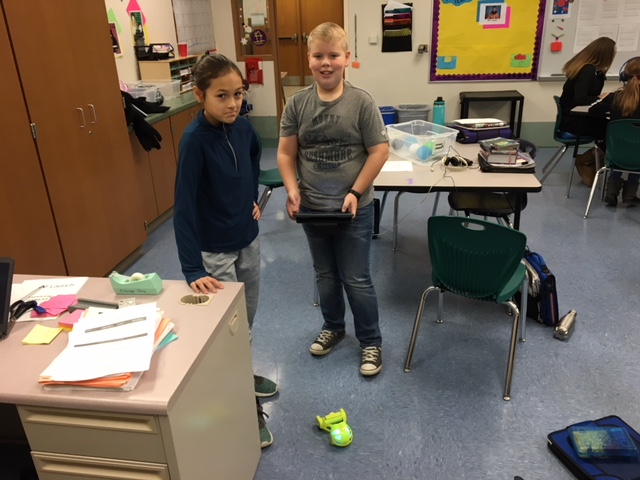
Now that we are past our Algorithm work, we have been exploring MIT App Inventor through tutorials that we have been working on in our flexible classroom groups.  If you are interested in looking at the platform that your students are working in, the link for MIT App Inventor is here.  The students have been very involved in creating an app that you can doodle with, an app that you can program to talk to you, and another simple game app that involves a ball bouncing around the screen.  

I think that your student will tell you that getting to this point has been challenging.  Between logging into two different sites at once, connecting tablets through a code, and downloading a companion app on our Chromebooks, there has been more than enough opportunities for trouble-shooting and problem-solving with technology!  I appreciate the patience that the students have showed, and how they have been working together to help each other out. 

This week, we will be starting to build a Germ Fighter app using our PLTW instructions.  The students will have parts of the app already built for them, and they will work together to create the rest of the app during class.  For this lesson, students will be able to work at their own pace to complete the project. If your student needs any additional help from me, I am more than happy to work out a time after school, during Norski Time, or even during lunch/recess to help.  Sometimes, a little one-on-one time can help make the projects go better during class.

As always, please feel free to reach out with any questions or concerns.  I am here to help in any way that I can!

Wednesday, February 6, 2019

An algorithm a day...

Happy February!  

We have come through our snow days, our extra day off on Monday, and are working on getting back into our routine in class (in between ski trips of course!)

This week, we started the PLTW App Creators course.  I sent out an email with details about this new unit.   In case you missed the email, for the second semester, we will be working on the Project Lead The Way App Creator course.  This course is designed for 6th-8th grade students to learn how to design, program, test, and possibly publish their own app that solves a problem.  The following link is the website for the curriculum, and shares information on PLTW and what it means to be a PLTW school. Project Lead The Way Gateway Programs

The App Creators course has been completely created by Project Lead The Way to be the entire curriculum for one quarter (one semester for us, since we only meet every other day).  This means that we will be working on this unit almost every day, but will have a warm up to practice their fundamental skills and vocabulary. Project Lead the Way courses are specifically designed to provide the student with challenging and engaging lessons and projects that require students to work together, problem solve, analyze, lead and create at their own pace.  It follows an instructional model called "Project Based Learning". Here, through collaboration, real world resources, guidance, and problem solving the students learn by doing and exploring. This is different than many of the traditional models of education in that the teacher functions as the facilitator of learning rather than the deliverer of content, while the students direct their own progress.  

This week, the students have been working on writing a linear algorithm for how we start to our warm-ups. We had a few laughs as the students tried to guide me to the white board to write. Without the correct directions, I ended up walking into students, the desks and even the wall at one point!

Our class is working up to the students created their own app, and all of these ideas and concepts help the students understand the building blocks. Some of the activities might be a little frustrating as they are designed to help the students learn on their own, and to discover their own way. I continually remind the students that the important part of this is the process, not the end result. So if you finish, fantastic! If you don't finish but continued working at it, also fantastic!

Please let me know if you have any questions. I love to have visitors! You are welcome to reach out to me by email or phone.

Friday, January 18, 2019

Coding, coding and MORE coding!

This week has flown by!  It has been a busy few days in 6th Grade Digital Literacy!

We started independent coding projects in Code.org this week.  Many of the students have enjoyed using their developing block coding skills to program games, dance parties, Minecraft worlds and more!  Overwhelmingly, the favorite was the dance party.  I have included links to a few of the more advanced dance party codes.  Not only did this coding project provide the opportunity for the students to choose a project that they were most interested in, it also created a great sense of classroom camaraderie!  Students were collaborating on bits of codes, pooling their collective knowledge and marveling at each others projects!  It has been a great week watching the students grow in their tech and coding skills, and I can't wait to see more. 

Next week, as the semester comes to a close, I will be meeting with each of my students to talk about their code.  We are going to look at what they found difficult, and what was easier in this project.  They will also use the rubric to tell me what they feel they deserve as a grade, and I will give them their final score.  

We also will be transitioning into our next unit, which will last us until the end of the year.  Together we will be learning about coding phone Apps using MIT App inventor.  This is a free program, and I am including the link here if you would like to check it out yourself.  With this program, we will be completing the App Inventor project through Project Lead the Way. 

I hope you can take a look at some of the Dance Party codes below.  They are very impressive!  Take a look at the coding by pressing the "How it Works" button, and peek at what is behind these animations, and see if you can figure out how to interact with the Dance Party! 

Dance Party Student Example 

Dance Party Student Example Two

Dance Party Student Example Three

Tuesday, January 8, 2019

Spheros, Playgrounds and Cubelets, Oh, My!

It has been a wild few days back from our break exploring different robots and a fun coding explorations using a Circuit Playground which plugs directly into the Chromebooks and can be coded to do all sorts of fun things with lights and sounds.   If you haven't heard of a Circuit Playground, take a peek at the some of the projects that you can make with them below.  

Circuit Playground Projects 

For our exploration with the Circuit Playground, we had the challenge of trying to turn our Circuit Playground into Harry Potter's Sorting Hat!  Though it is a tricky bit of coding in Microsoft's Makecode program linked here, several of our students were able to complete the project, and were able to sort their classmates into the different Hogwart's houses!  

We also explored a few different types of robotics, learning about how to troubleshoot technology that we do not understand every step of the way.  One of the important aspects of this class is to find ways to use new technologies.  For this station, we looked at Ozobots, Cubelets, and the Spheros to try and figure out how to get them to work!  Many of the students had some frustrating moments when the Bluetooth did not work the way they wanted it too, or they didn't understand the direction cards they were given.  By working together, the students continued to work through their frustration, and were able to get the robots to do a few things!

This week, we will be looking at another new technology, virtual reality.  We will be exploring how it works, and taking turns experiencing it.  We also will be starting an independent coding project, which the students will be able to bring together all of the skills they have been learning about coding to create a project that is unique to them.  I hope to be able to share a few of these projects in a future post. 


Wednesday, December 19, 2018

Another week of station work!

It's almost the winter break holiday...and you can feel the energy in the air!  This week we are finishing up our Design Station work, including our Prezis on the Engineering Design Process.  We had a few housekeeping tasks to complete as well, including a survey about how we use technology both at school and at home for the district.  

At the end of this week, we are starting a very exciting Station on Robotics!  The students will be exploring coding by using the Circuit Playground Express, and using Microsoft Makecode to make their Circuit Playground come alive!  Along with the exploration, the students will be learning vocabulary related to robotics, such as "while loop" and "block coding," reading an article about designing robots, and continuing to practice our typing skills in Typing Club.  

Over break, if you have access to a computer at home or at the library, students can keep up with their techie skills by working in a few suggested websites!  

1. www.code.org  The students have all been working on coding already, and can see their progress by logging in with their Google account. 
2. Typing Club  Here you can access the Typing Practice lessons that your student uses.  
3.Scratch Coding Games  Coding is super fun when working in Scratch! This website allows you to create your own project or game.  

You don't have to be alone when you use technology.  If you have a device at home, work with your students to explore coding!  We have been learning so many new things, and it is great to give your student the opportunity to share with their family and friends. 


Wednesday, December 12, 2018

Our new unit of Station Work!

Last week we finished our first cycle of Station Work. What is Station Work, you might ask?  Well, for our stations, we are exploring different subject areas in 15 minute increment.  Last week, we worked on the station for Art and Music.  At the Fundamental Skills station, we worked on vocabulary related to coding in Quizlet, and recorded our highest score in the "Match" game, took a 3 minute typing test to see how we far we are towards our typing SMART goals, and read a Readworks article related to music.  At the Coding Station, we worked on our coding skills using www.code.org.   The final station was an exploration station, and we explored different ways that you can use technology to create art and music.  Two of the favorite websites from last week were Chrome Music Lab and www.bomomo.com.

This week, we are continuing to work in stations, but we are focusing on the Engineering Design Process.  We again are exploring vocabulary, typing and reading comprehension at our Fundamental Skills station and working on coding in www.code.org to continue improving our coding skills.  At our Exploration Station, however, we are working on using our research skills to learn about the 6 steps of the Engineering Design Process and showing what we learn by creating a Prezi.  Have your student share their finished Prezi with you!  You will be impressed.  

Next week we will be exploring Robotics, a station that should be a lot of fun for our last week before break.  I will hopefully get some great pictures of the students working with their robots that I can share!

Wednesday, November 28, 2018

We are back at work after the long holiday weekend!  It has been another busy few weeks, and we are about to transition into a new project again. 

This week, we are finishing up our Public Service Announcements.  The students worked in groups to share a message and create a PSA.  As part of our learning, we talked about the three persuasive techniques often used in PSA's, or ethos, pathos and logos.  There were many creative versions of these techniques shown in the work that we shared as a class.  The students are also writing a reflection on how well they felt they shares their message  as well as how they think that the other students in their class shared their messages.  It has been fun to watch what happens when students are allowed to share what they are passionate about!

This week, we will be starting to work at different stations to explore different technologies.  The students will rotate through 3 stations each class period, practicing fundamental skills such as typing, vocabulary related to technology and reading comprehension, working on coding with Code.org, and exploring creative ways to use technology through art and music.  To show their understanding, students will be creating a portfolio of their work.  I think that this will be a fun way to learn about technology before our winter break!

If you are interested in learning more about our coding unit, feel free to explore code.org
The students can access their account and progress by signing in with their Google account. 

Friday, October 26, 2018

We had a short but fun and productive week!  We finished up our Digital Citizenship Infographics that we are creating in Canva, and in small groups, the students shared their ideas on what makes a Responsible, Respectful and Safe Digital Citizen.  As a whole class, we combined our ideas and created a Digital Citizenship Contract.  The contracts included many great ideas such as "We will not plagiarize" or "We will not Cyberbully."  I have included a photo of a couple of our contracts below.  The students did a great job of sharing.

This week, we also played a game called Quizlet Live using the Digital Citizenship unit vocabulary that we have been learning, such as fair use, citation, wireless fidelity, plagiarism, and ethical.  The students worked in teams of 3 or 4 to beat their classmates as they matched vocabulary with their definitions.  Everyone had a great time and we will be playing again this coming week!

Thank you to everyone that stopped by and visited during conferences.  I loved meeting everyone in person, and it was great to share what we have been working on.  If you were not able to meet with me during conferences and would still like to visit, feel free to email or call to set up a time.  Generally, I am at the school each day until 4 or 4:30.  

Saturday, October 13, 2018

The weather has officially turned, and we are trotting off towards winter!  Everyone should see grades in Skyward for their students first project, "All About Me Canva Poster."  There are also behavior grades posted that go with our first introductory unit.  Please let me know if anyone has any questions about the grades that they are seeing.  I am available by phone or email, and will be available during teacher's conferences as well.  Conferences will be held on October 24 from 3:30 pm-7:30 pm and again on October 25 from 8:00 am -noon.  If there is a time that works best for you, feel free to let me know and I can reserve the 10 minute time slot for you.  Otherwise, you will be able to sign up outside of the Digital Literacy rooms for a slot. 

This week, we finished our STEM Career projects.  The students worked on researching a STEM Career, by first taking an interest survey to see what career clusters are interesting to them.  There are STEM careers in each of the clusters, and the students did even more research to find a job that they were interested in learning more about.  To finish the project, the students used their research to make a mock "Facebook" profile of what they would be doing in 15-20 years at their STEM career.  It was a great project, and I have seen some very impressive projects already!  If your student hasn't quite finished their slides up, they are welcome to come to our room during Norski Time on Day 6.  It is designated for finishing up projects.   

At the end of last week, we started a unit on Digital Citizenship.  To kick off this new unit, we had a great discussion about social media and its uses this past week.  Next week, we will be exploring more of the vocabulary and concepts surrounding Digital Citizenship, while also working on an Infographic.  I am excited to see what the students will produce!  I think that they already have a great start on their infographics.

Image result for digital citizenship free photos

Tuesday, October 2, 2018

It's hard to believe that October is here! Last week, all the students shared their finished posters that they created in Canva.  The posters will be printed and displayed in our room for the remainder of the semester.  Some of the posters turned out really well, and I am very proud of the work the students did!  Not only did they learn a new program, Canva, they were able to use it to express some of their likes and dislikes. Grades for the posters will be posted in Skyward late this week and into next week, as well as behavior grades for September. 

Last week, we started a project on STEM careers, or as we learned in class, Science Technology, Engineering and Math careers.   The students filled out a career clusters survey to figure out which cluster of jobs they are most interested in, and from there, they chose a career.  This week, we will be researching our careers and putting that information into a mock "Facebook" profile of their job and what they will be doing at their job 20 years in the future.  I am excited to see what the students come up with! 

As always, you are welcome to call or email me with any questions that you might have.  I am more than happy to help!   


Friday, September 14, 2018

It is hard to believe that our second week of school is coming to a close!  First, let me take a moment to say thank you to everyone who has donated supplies to our classroom!  These supplies help us organize and keep our classroom clean, so thank you so much for your kindness and generosity. 

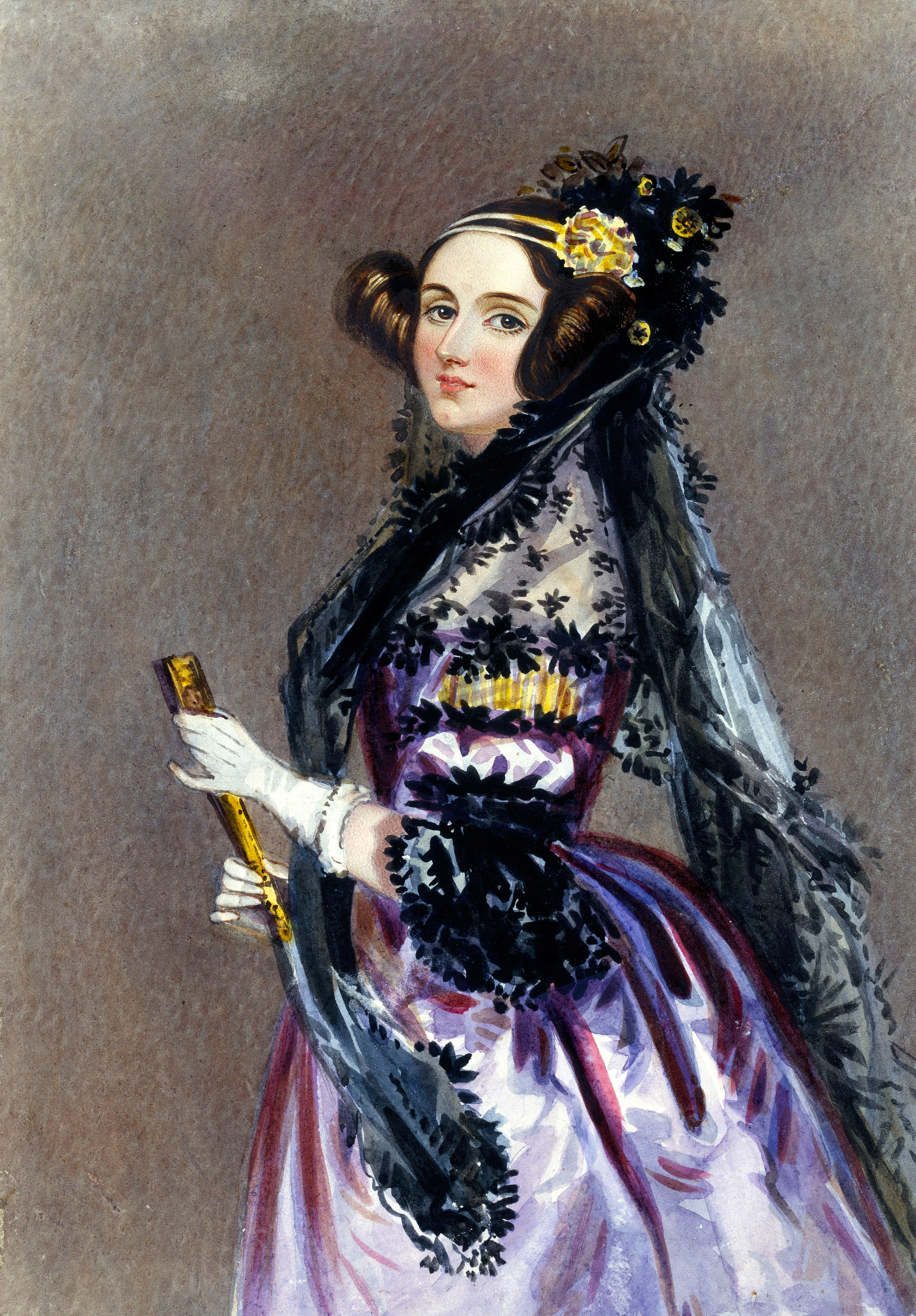
This week we learned about Ada Lovelace, the daughter of the poet Lord Byron, who was a pioneer in computer programming language.  She was born in 1815, yet still influenced the computers we use today!  Ask your student more about what they learned this week about this amazing woman!  

This week we also started working on a project in Canva.  Canva is a free graphic design program, and your students are creating a poster to share a little bit about themselves with the class.  Next week, we will continue to work on this project.  Towards the end of the week, each student will present their poster to the class.  You can check out your student's work by having them log into Canva.com.


Image result for ada lovelace

Ada Byron Lovelace, the First Computer Programmer
1815-1852
Learn more! Click Below.

Tuesday, September 4, 2018

Welcome to 6th Grade Digital Literacy!  The 2018-19 school year is off to a great start.  This week we are working on:
     -Logging in to our Chromebooks, and getting into Google Classroom
     -Learning about classroom rules and expectations
     -Learning about one another

We are also starting a project using Canva, a Google add-on that aids in design,  that will help us design a poster that demonstrates what we will learn about our classmates. 


Here is a picture of our classroom gorilla...make sure that you check out the daily joke/fun fact on the whiteboard!